EDIFACT Viewer: How to Read Any EDI Message Instantly
Tools
• EDIFACT • EDI • XML • INVOIC • DESADV • ORDRSP •
EDIFACT stands for Electronic Data Interchange for Administration, Commerce and Transport. It is a United Nations standard, published under the name UN/EDIFACT, that defines exactly how structured business documents should be formatted when exchanged between computer systems. A retailer in Mexico sends a purchase order to a supplier in Germany. A port authority in Rotterdam acknowledges a cargo manifest from a container ship. A hospital invoices a national health service. All of it, is EDIFACT.
Access https://kibervarnost.si/edifact-viewer/ to view and inspect any EDI file or EDIFACT message
The standard has been in continuous use since the late 1980s. It predates the web, it predates JSON or XML, it is older than most of the engineers who maintain the systems that run on it — and it is not going anywhere in 2026.
Here is a real purchase order, abbreviated:
UNB+UNOA:2+BUYER123+SELLER456+240115:0930+REF001'
UNH+1+ORDERS:D:97A:UN'
BGM+220+PO-2024-001+9'
DTM+137:20240115:102'
NAD+BY+5412345000016::9++ACME Corporation+123 Business Street+New York'
NAD+SU+4012345000094::9++Global Supplies Ltd+456 Supplier Road+Chicago'
LIN+1++9780123456789:EN'
QTY+21:100'
PRI+AAA:25.99'
UNT+18+1'
UNZ+1+REF001'
To a human eye, this is impenetrable. To a computer it is a precise, unambiguous document:
- Buyer: ACME Corporation, New York
- Supplier: Global Supplies Ltd, Chicago
- Item: EAN barcode 9780123456789, quantity 100, unit price $25.99
- Date: 15 January 2024
Every + separates a data element. Every : separates a component within a composite element. Every ' ends a segment. The three-letter codes (BGM, NAD, LIN, QTY, PRI) are segment tags, each with a precise definition in the UN/EDIFACT specification.
Versions: A Living Standard
EDIFACT is not frozen. The UN publishes new versions twice a year, each identified by a release code. D96A means Directory 1996, release A. D97A is the next. The version inside a message is declared in the UNH service segment:
UNH+1+ORDERS:D:97A:UN
              ↑ ↑ ↑  ↑
              │ │ │  └─ Controlling agency (UN)
              │ │ └──── Release (97A)
              │ └─────── Version (D)
              └────────── Message type (ORDERS)
This matters in practice because the specification evolves between versions. A segment definition in D96A may differ from D97A. Composite structures gain or lose components. New qualifier codes are added. Code descriptions change wording. A viewer that ignores version information will silently produce wrong results.
Our mapping library covers every published release from D94B through D24A — 59 version directories in total:
D94B  D95A  D95B  D96A  D96B  D97A  D97B  D98A  D98B  D99A  D99B
D00A  D00B  D01A  D01B  D01C  D02A  D02B  D03A  D03B  D04A  D04B
D05A  D05B  D06A  D06B  D07A  D07B  D08A  D08B  D09A  D09B  D10A
D10B  D11A  D11B  D12A  D12B  D13A  D13B  D14A  D14B  D15A  D15B
D16A  D16B  D17A  D17B  D18A  D18B  D19A  D19B  D20A  D20B  D21A
D21B  D22A  D22B  D23A  D24A
Universal Message Coverage
EDIFACT is not just invoices and purchase orders, and our viewer has universal coverage. For your to understand the scope, the D97A release alone defines 145 distinct message types, covering the full breadth of global commerce and administration:
| Domain | Message types |
|---|---|
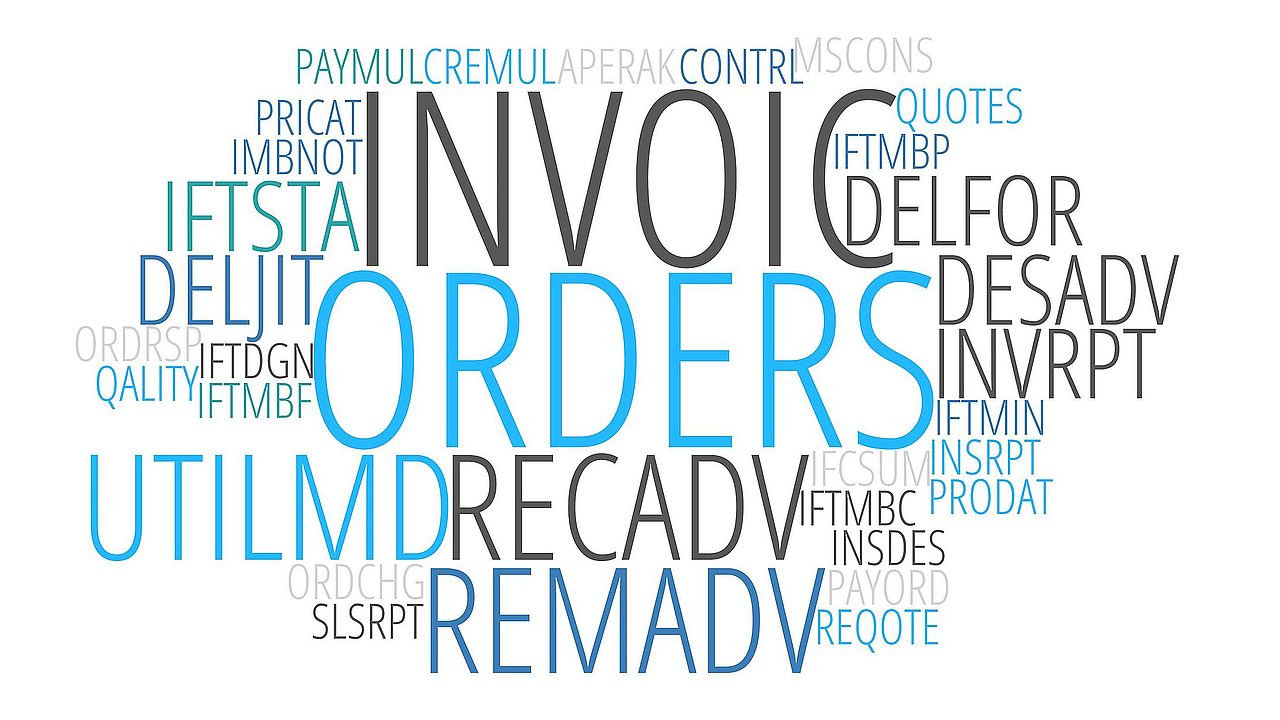
| Trade | ORDERS, INVOIC, ORDRSP, ORDCHG, QUOTES, REQOTE, PRICAT |
| Logistics | DESADV, RECADV, IFTMIN, IFTSTA, COPARN, BAPLIE, MOVINS |
| Finance | REMADV, PAYORD, PAYMUL, FINSTA, CREADV, DEBADV |
| Customs | CUSDEC, CUSRES, CUSCAR, CUSEXP |
| Healthcare | MEDPID, MEDRPT, MEDREQ |
| HR & Social | JOBAPP, JOBCON, SSREGW, SSRECH, PAYDUC |
| Statistics | GESMES, RDRMES, SLSRPT, INVRPT |
| Tax | VATDEC |
Each message type has its own structure definition — a tree of mandatory and optional segment groups, each with declared repetition limits. INVOIC has 26 named segment groups. IFTMIN (a freight instruction) has 36. Our viewer loads the correct structure definition for every message it encounters, enabling group-level navigation and structural validation.
The Challenge: Why EDIFACT is Hard to Work With
Despite its ubiquity, EDIFACT has always been difficult to work with for anyone who isn’t a specialist. The reasons are structural:
The format is not human-readable. A 200-segment INVOIC with line items, tax breakdowns, allowances and charges is a single line of punctuation-separated codes. Without a reference to the specification, PRI+AAB:86.3133::EUP::EA tells you nothing.
Qualifier codes require lookup. NAD+BY means the party is the Buyer. NAD+SU is the Supplier. DTM+137 is the document date. DTM+2 is the requested delivery date. MOA+86 is the message total. None of this is readable from the wire format alone.
Version mismatches cause silent errors. A D96A INVOIC and a D97A INVOIC share most of their structure but differ in subtle ways. Composite element C082 in D96A has three components (party ID, code list qualifier, agency code). In D97A it has two — the party ID field was dropped. Decoding a D97A message against D96A mappings produces wrong field labels with no error.
Service segment definitions are separate. UNB, UNH, UNT, UNZ — the envelope segments — are not defined in the per-version segment dictionaries. They live in a parallel Service_V3 or Service_V4 specification, selected by the syntax version number in UNB S001[1].
What the EDIFACT Viewer Does
The viewer is a single-page browser application that solves all of these problems without requiring any server infrastructure, EDI expertise, or software installation. Our viewer decodes any UN/EDIFACT message — free, private, instant. Paste any EDI message and get a fully decoded, human-readable breakdown in seconds. Supports 100+ message types across every UN/EDIFACT release from D94B through D24A, including INVOIC, ORDERS, DESADV, ORDRSP, REMADV, RECADV and IFTMIN. The correct specification version is detected automatically from the message itself — no configuration needed. Every segment, element and qualifier code is resolved against the official UN mapping: field names, code descriptions, composite structures and segment group labels all included. Mandatory and optional segments are flagged. Structural errors are caught and reported.
EDIFACT Viewer is built for human–AI collaboration. A one-click prompt builder converts any parsed message into a structured prompt ready for ChatGPT, Claude or Gemini — ideal for invoice audits, order verification and compliance checks. Export to plain text anytime for human review or archiving. 100% private. All parsing runs in your browser. No files are uploaded, no data leaves your device.
Automatic Version Detection
The viewer reads the message before loading any mappings. It extracts the release string from UNH S009[2] (97A, 21B, etc.) and maps it directly to the correct version directory. It also reads the syntax version from UNB S001[1] to select the right service segment definitions (Service_V3 vs Service_V4). The correct mappings are loaded automatically, cached for the session, and swapped transparently if the next message uses a different version.
Full Segment Decoding
Every element and component is matched against the version-correct segment definition. Each value is annotated with:
- its field name from the specification
- its code description where applicable (BY → Buyer, 137 → Document/message date/time, 102 → CCYYMMDD)
- its composite membership with correct component labels
Message Structure Annotation
The viewer loads the message-type structure definition (e.g. D97A/messages/invoic.xml) and annotates each segment with its segment group path (SG2, SG26/SG27), nesting depth, and mandatory status. Segment groups are labelled inline. Missing mandatory segments are reported as structural warnings.
Structural Validation
Three layers of validation run automatically:
- Envelope checks — are UNB/UNZ and UNH/UNT both present?
- Segment count — does UNT’s declared count match the actual UNH→UNT envelope size?
- Message structure — are mandatory segments present? Do any segments exceed their declared maximum repetition count?
Intelligent Input Handling
Real-world EDIFACT arrives in many forms. Some files use the standard ' segment terminator. Many systems export newline-delimited EDI with no terminator character at all. Some copy-paste operations silently convert straight apostrophes to curly quotes (' → '). The viewer normalises all of these transparently before parsing.
Narrative Summary
After decoding, the viewer generates a plain-English summary:
This is an Invoice (D:96A:UN) issued on 2002-03-08. Transaction between 5412345000013 (EAN) (Buyer) and 4012345500004 (EAN) (Supplier). Also involves: 5412345678908 (EAN) (Delivery party). Contains 2 line items. Total: 5767.10 EUR, tax: 957.10 EUR. Ref: Order ORD9523, Delivery note 53662.
Party names are resolved from free-text C080 fields when present, falling back to party ID codes with agency labels (EAN, DUNS, etc.) when only coded identification is available.
Built for Human–AI Collaboration
The viewer is designed for a hybrid workflow where a human pastes an EDI message and an AI assistant helps interpret it.
The AppRegistry Interface
Every parse result is exposed through a global window.AppRegistry object — a machine-readable interface that AI agents can query without touching the DOM:
// Get the full parse result as structured JSON
AppRegistry.getJSON()

// Get a flat array of decoded segments
AppRegistry.getResults()

// Build a structured prompt for any AI model
AppRegistry.getPrompt("What are all the line items and their prices?")

// Copy a prompt directly to the clipboard
AppRegistry.copyPrompt("Summarise this invoice for a finance team")
Built-in Prompt Builder
The viewer includes a prompt panel with five preset questions (Summary, Parties, Line items, Dates, Validate) and a custom question input. Clicking any of them generates a complete, structured prompt in the format:
[SYSTEM]
You are an EDIFACT document analyst.
Answer using ONLY the structured data provided below.
If the information is not present, state explicitly that it is missing.
Prefer bullet lists for structured answers.

[DOCUMENT]
{ "messageType": "INVOIC:D:97A:UN", "segments": [...] }

[QUESTION]
List all line items with their item numbers, descriptions, quantities, and prices.
The prompt includes the complete decoded message as structured JSON context — field names, code descriptions and group paths included — so the AI receives a fully interpreted document, not raw EDI syntax.
Agent-Callable Actions
All primary functions are registered as named actions:
AppRegistry.actions['parse']('UNB+UNOA...')   // parse a message
AppRegistry.actions['get-prompt']('question') // build a prompt
AppRegistry.actions['copy-prompt']('question')// copy to clipboard
AppRegistry.actions['save-txt']()             // export plain text
AppRegistry.actions['copy-json']()            // copy full JSON result
An AI agent can load a message, parse it, query specific fields and generate a report entirely through this interface.
Under the Hood
The viewer is a frontend-only application — no server, no backend, no data leaves the browser.
Mapping source: UN/EDIFACT XML specification files, parsed directly in the browser using the built-in DOMParser API. No preprocessing step, no generated JSON, no build pipeline.
Why XML over JSON: The XML specification preserves the true wire order of elements within each segment — essential for correct decoding of segments like NAD where simple and composite elements are interleaved. The JSON conversion of these files loses positional information. The mapping data is the UN/EDIFACT specification, redistributed in structured XML format
Caching: Fetched XML mapping documents are cached in memory for the session. Switching between multiple messages of the same version goes with one fetch.
No external dependencies for parsing: DOMParser, fetch, Map, Set — all standard browser APIs.
A Note on the Standard Itself
EDIFACT is sometimes described as legacy technology — a relic of an era before web APIs and JSON. This misreads the landscape as the format’s apparent complexity is inseparable from its precision. A well-formed EDIFACT INVOIC contains no ambiguity: every field is typed, bounded and qualified. The same invoice in a JSON REST API payload is typically a bespoke schema that differs between every trading partner.
The automotive sector still runs on EDIFACT. So does much of European retail, international customs, and container shipping. The UN continues to publish new releases and the standard is not stagnant as D24A was published in 2024.
What has changed is tooling. Working with EDIFACT used to require specialised EDI middleware costing thousands of dollars per seat. Free, no registration Kibervarnost EDIFACT viewer described here runs in any modern browser, decodes any version from D94B to D24A, covers 145+ message types, and requires nothing more than a paste and a click, and it is ready for AI agents and human operators alike.
Access https://kibervarnost.si/edifact-viewer/ to view and inspect any EDI file or EDIFACT message
Privacy by Design
Every line of processing happens in your browser. The XML file you load is never transmitted anywhere. There are no server-side logs, no analytics on file content, no third-party data sharing. The only outbound connection the tool makes is the API call to Anthropic when you explicitly use the Ask AI feature — and that uses your own API key, billed directly to your own account.
This matters for financial documents. Bank statements, payment files, and invoices contain sensitive data. A tool that uploads your CAMT file to a cloud service to parse it is a tool you should be cautious about. The Universal XML Viewer processes everything locally and it is up to you to submit this data to an AI system or not.
Prijavi se na tečaj kibernetske varnosti za podjetja
Kibernetski napadi danes niso več vprašanje »če«, ampak »kdaj«. Napadalci ciljajo podjetja vseh velikosti, najpogosteje pa vstopijo skozi najšibkejši člen – človeka. E-pošta, gesla, lažne povezave, priponke ali telefonski klici so vsakodnevna tveganja, ki jih lahko zaposleni z znanjem prepoznajo in ustavijo pravočasno. Prijava – Izpolnite spletni obrazec za pridobitev ponudbe.