The Difference Between camt.052, camt.053 and camt.054
Tools
• CAMT.053 • CAMT.052 • CAMT.054 • SEPA XML • XML • BANKING •
What Is CAMT?
Corporate treasury teams often encounter questions about bank statements and reporting formats, especially as more institutions migrate to the ISO 20022 standard. While formats such as BAI2 or MT940 are still familiar to many practitioners, the CAMT family of messages, camt.052, camt.053 and camt.054, now represents the modern, structured way for banks to deliver account information to their customers. Understanding how these three messages relate to one another is essential to building efficient reconciliation and cash-management processes.
Access Free Client-Side CAMT.052 CAMT.053 Bank Statement Viewer
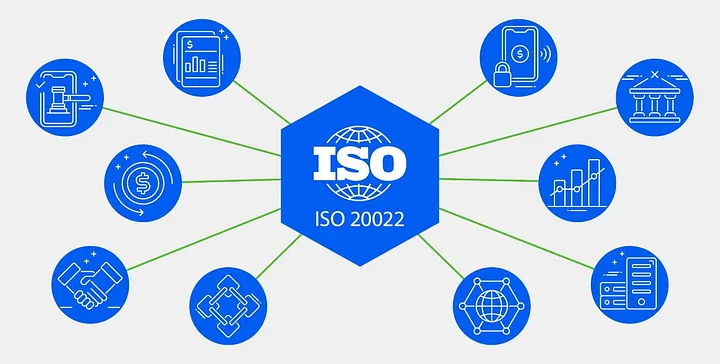
CAMT refers to a set of Cash Management messages within the broader ISO 20022 framework. ISO 20022 defines global standards for electronic financial data exchange, often described as a universal messaging scheme for the financial industry. CAMT messages specifically cover bank-to-customer reporting, offering structured, XML-based information about account activity. Because the format is standardised, banks and corporates can exchange information in a consistent and predictable way, reducing the ambiguity that has long characterised legacy formats.
camt.052, Intraday Reporting
The camt.052 message, formally known as the Bank to Customer Account Report, provides intraday information. It is for situations where customers need insight into their account activity during the day rather than waiting for end-of-day reporting. In essence, it delivers a near real-time snapshot of balances and movements as they occur. The camt.052 message directly replaces the MT942, modernising intraday reporting with the richer structure and clarity of XML.
camt.053, End-of-Day Statement
Where camt.052 focuses on what happens during the day, camt.053 covers what has already happened. Known as the Bank to Customer Statement, it provides the previous day’s fully booked transactions in a detailed and structured manner. This message type replaces the MT940, which has long served as the standard end-of-day statement in many regions. The camt.053 format offers clearer tagging, more space for remittance information, and a better foundation for automated reconciliation compared to its predecessor.
camt.054, Debit and Credit Notifications
The camt.054 message, or Bank to Customer Debit/Credit Notification, is for specific booking confirmations. Rather than summarising an entire day or providing an intraday snapshot, it focuses on notifying the customer about one or more individual debit or credit events. This message type replaces the MT900 (confirmation of debit) and MT910 (confirmation of credit), bringing both messages together under a single structured standard. It is often used to trigger business processes immediately when funds are credited or debited.
Why CAMT Matters
The shift to CAMT reporting offers several advantages for corporates and banks alike. ISO 20022’s structured XML approach eliminates the inconsistencies that were common in older formats such as BAI2 or MT940, where banks often populated transaction rows differently according to their own internal conventions. With CAMT, specific information must be placed in specific tags, reducing ambiguity and supporting more accurate automated processing. Another key benefit is the richness of the data. CAMT messages allow banks to provide extended remittance information without truncation, which can significantly improve reconciliation quality. Corporates also gain greater flexibility, as the same standardised CAMT structures are increasingly used not only in file-based reporting but also in modern APIs. This helps integration between banking partners and internal systems, and ultimately helps organisations reduce the number of statement formats they must support. The long-term objective of adopting CAMT is to create a smooth, end-to-end process from payment initiation to reconciliation. By relying on globally standardised XML structures, businesses can streamline workflows, reduce errors, and improve overall visibility of their cash positions.
How to view and CAMT statements?
A practical way to work with CAMT messages, especially when dealing with large batches, is to use tools that present their XML content in a clean, human-readable form. Our application is for this purpose. You can upload CAMT files privately without any registration, parse them instantly, and receive clear analysis of the underlying account data. The app can reveal hidden costs embedded in your bank statements, highlight unusual entries, and convert CAMT statements into Excel-friendly formats that are ideal for audit work, reconciliation, or internal reviews.
Upload one or multiple XML Bank Statements to review and generate CAMT.053 Bank Cashflow Report (useful for annual reporting and audit): credit and debit totals, counterparty summary, hidden fees and banking costs. All processing is client-side, financial data never leaves your computer.
Access Free Client-Side CAMT.052, CAMT.053 Bank Statement Viewer
Free SEPA XML tools
SEPA PAIN viewer and parser is an advanced tool to securely check corporate batch payment XML files, edit or review individual transactions, and generate new SEPA payment files, all directly in browser, client-side. It’s completely free, no registration, and keeps your data private.
The ISO 20022 standard is the globally recognized framework for exchanging financial messages between banks, companies, and payment service providers. Within this standard, PAIN messages (Payment Initiation) are specifically designed for corporate payment processing. The most commonly used message, pain.001.001.03, is used for initiating SEPA Credit Transfers.
These files allow companies to provide banks with all the necessary payment information, including:
- Payer and payee details
- Payment amounts and currencies
- References and execution dates
PAIN messages also support batch payments, so dozens of transactions to be submitted in a single file. Accurate formatting according to the ISO 20022 schema is crucial, otherwise, the bank may reject the entire batch.
Batch IBAN validator and extractor
Do you need to process multiple financial files to check IBAN number? IBAN-Extractor is a lightweight, privacy-focused browser application that lets you upload any number of XML or text files and instantly get a list of validated IBAN numbers. For accountants, auditors, anti-fraud, cybersec, and finance professionals who need a secure way to review and investigate financial documents.

clanek050En